
Google Data Studio (Looker Studio)
Google Data Studio previously named Looker Studio is a flexible, cloud‑based reporting tool that turns your data into clear, interactive dashboards.
At Select Distinct, we help organisations get the most out of it by building reports that are simple to use, easy to maintain, and tailored to your business.
With its drag‑and‑drop interface and wide range of data connectors (including Google Analytics, Google Ads, Google Sheets and many others), Data Studio is ideal for creating professional, shareable dashboards that support day‑to‑day decision‑making.
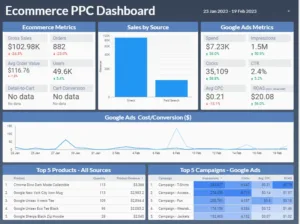
What is Google Data Studio
One of the key benefits of Data Studio is its flexibility.
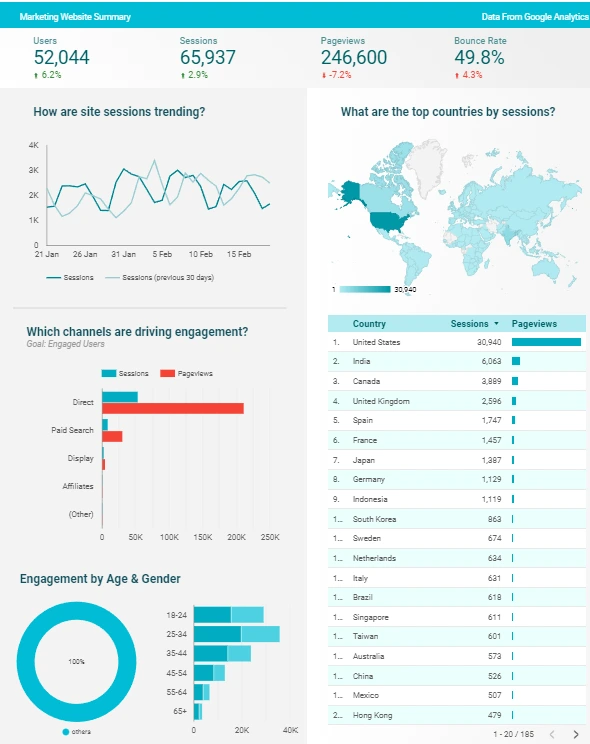
Data Studio provides a wide range of data visualization options. These include bar charts, line charts, tables, and maps, as well as the ability to customize colours, fonts, and styles.
Reports can be shared with others by providing a link or embedding them in a website or blog.
Data Studio also provides collaboration features. Allowing many users to work on the same report and providing real-time commenting and sharing capabilities. It is easy to use and flexible. It is a valuable tool for businesses and organizations looking to create and share data-driven insights.
Summary
Data Studio is an online data visualization tool. It helps users convert data into informative reports and interactive dashboards.
It is a powerful tool that allows users to connect to many data sources,. These include Google Analytics, Google Ads, Google Search Console and more. You can customize and format your reports, and control and filter your data. There are also advanced formulas such as calculated metrics and calculated fields.
The platform also offers dynamic controls, drill-down hierarchies, optional metrics, and custom bookmarks. Providing users with an advanced and interactive reporting solution.
Access the free tool from Google via the link below.
Please note that as of April 2026, Google has reverted the product name from Looker Studio back to Google Data Studio, reversing the rebranding decision made in October 2022.

Google Data Studio Consulting
If you are looking for consultancy services for Data Studio to get the best out of this great tool then get in touch
From dashboard building to remote mentoring we are well placed to support you
Helping You Get The Best From Google Data Studio
Contact us to discuss your needs and we’ll help you turn your data into clear, meaningful insights.
Frequently Asked Questions
Is Looker Studio the same as Google Data Studio?
Yes, they are the same product. As of April 2026, Google officially rebranded "Looker Studio" back to "Google Data Studio." Your existing reports, data sources, and permissions remain fully functional, and no migration is required.
The rename is intended to clarify the distinction between the free, self-service dashboarding tool (Data Studio) and the enterprise-grade, governed BI platform (Looker).
Why are my Data Studio dashboards running so slowly?
Dashboards typically slow down when you connect directly to raw, unoptimised data sources like massive CSV files or unsorted Google Sheets.
Performance bottlenecks are usually caused by overloading a single page with too many charts, failing to use "Extract Data" sources, or calculating complex metrics directly inside the dashboard.
We recommend cleaning and aggregating your data in a warehouse like BigQuery before it reaches your report.
Is Google Data Studio suitable for professional business reporting?
Absolutely.
It is an excellent tool for real-time reporting, especially for marketing teams and small-to-medium businesses already within the Google ecosystem. Because it supports over 1,000 data connectors and offers real-time collaboration similar to Google Docs, it can replace hours of manual spreadsheet work.
However, for large-scale enterprise reporting requiring complex data governance, a dedicated data warehouse approach is recommended.
How can I avoid inaccurate data in my Data Studio reports?
Inaccuracies usually stem from connecting "messy" raw data without validation. To ensure reliability, always clean and standardise your field types such as ensuring date fields are correctly formatted before connecting the data.
We suggest implementing a formal QA process where you cross-check report totals against your source systems before sharing dashboards with stakeholders.
What is the difference between Data Studio and Data Studio Pro?
Data Studio is the free, core dashboarding tool for individual users and teams.
Data Studio Pro is a paid upgrade designed for mid-sized organisations that need enterprise features, such as team workspaces for better report organisation, granular role-based permissions via Google Cloud IAM, and the ability to schedule report deliveries to Slack or Google Chat.