
Power BI Training Course for Beginners
(UK‑Focused, Practical, Hands‑On)
Learn Power BI with a practical, beginner‑friendly training course designed for UK businesses.
This hands‑on course teaches you how to build dashboards, connect data, and understand Power Query, DAX, and real‑world reporting.
Build Confidence with Data
One Step at a Time
Our beginner‑friendly Power BI Course is designed for anyone who wants to understand data, create clear reports, and build interactive dashboards — even if you’ve never used Power BI before.
Whether you work with spreadsheets every day or you’re completely new to reporting, this course gives you the practical skills to turn raw data into meaningful insights.
This hands‑on Power BI Training follows a structured, step‑by‑step approach that takes you from opening Power BI Desktop for the very first time to publishing your own fully built report.
By the end of the day, you’ll feel confident navigating Power BI, transforming data, building visuals, and designing dashboards that support real‑world decision‑making.

What You’ll Learn

By the end of this beginner‑friendly Power BI course, you’ll walk away with a complete set of practical, job‑ready skills that’s all taught through hands‑on examples.
Connect to Real Data Sources
- Learn how to bring data into Power BI from Excel, CSV, SharePoint and more, the essential first step in any reporting workflow.
Clean & Transform Data Using Power Query
- Turn messy, inconsistent data into clean, structured tables using beginner‑friendly transformation tools.
Build a Proper Data Model (Facts, Dimensions & Star Schema)
- Understand how to structure your data the right way so your dashboards are fast, accurate and easy to maintain.
Create Interactive Visuals & Dashboards
- Build charts, tables, cards, slicers and maps — and learn how to format them so your insights stand out clearly.
Use DAX for Calculations
- Create calculated columns and measures to calculate totals, percentages, KPIs and more, using simple, beginner‑friendly DAX formulas.
Apply Best‑Practice Dashboard Design
- Learn how to choose the right charts, reduce clutter, and design reports that are clear, intuitive and decision‑ready.
Publish & Share Your Reports
- Understand how to publish dashboards to Power BI Service, share them with your team, and keep your data refreshed.
Who This Course Is For
This course is ideal for:
Complete Beginners
No prior Power BI experience needed
Professionals
Who use Excel and want to level up their reporting skills
Teams
Who want consistent reporting skills across departments
Managers
Who need clearer insights for decision‑making
Anyone
Who wants to understand data more confidently
No technical background required.

What’s Included?
Every learner receives:
- Full training pack (the same one used during the session)
- Downloadable example datasets
- Step by step walkthroughs
- Practical exercises
- A completed Power BI report to take away
- Q&A support throughout the day
You’ll finish the course with real files, real skills, and a real dashboard you built yourself.
Course Duration
This one-day course is split into six focused sessions, covering everything from data import to dashboard creation.
The structure is designed to build your skills gradually, giving you time to practice each step before moving on.

Why Choose Our Training?
Our approach is simple: make Power BI easy to understand.
We specialise in:
- Clear, beginner friendly explanations
- Practical, scenario based learning
- Hands on exercises using real business data
- A supportive environment where no question is too small
- Training that builds confidence, not overwhelm
Delivery Options
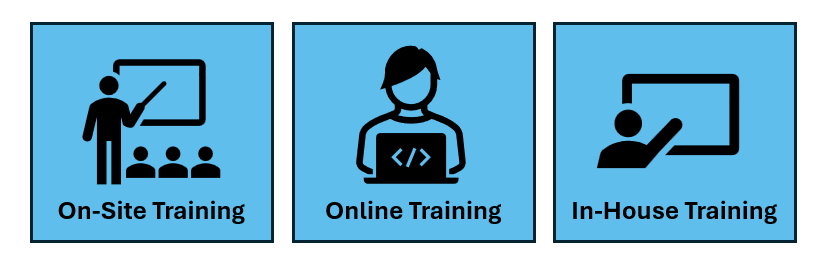
Our Power BI training is available through the following delivery methods:
- In-House Training: Conducted at our office, ideal for groups who prefer a dedicated learning environment. With free parking
- Online Training: Live group sessions delivered remotely for convenience and accessibility.
- Onsite Training: We come to your location to deliver group training which follows a planned curriculum
What is Power BI?
An Overview for Beginners
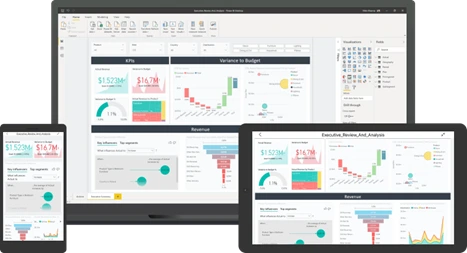
Power BI is a powerful reporting tool that helps you turn data into easy‑to‑understand charts, dashboards and reports. It allows you to see your information clearly so you can make better decisions, faster.
You don’t need to be a tech expert to use it. Power BI connects to data from Excel, databases, cloud services and more, helping you create visuals that tell a story and highlight what matters most.
Benefits of Microsoft Power BI
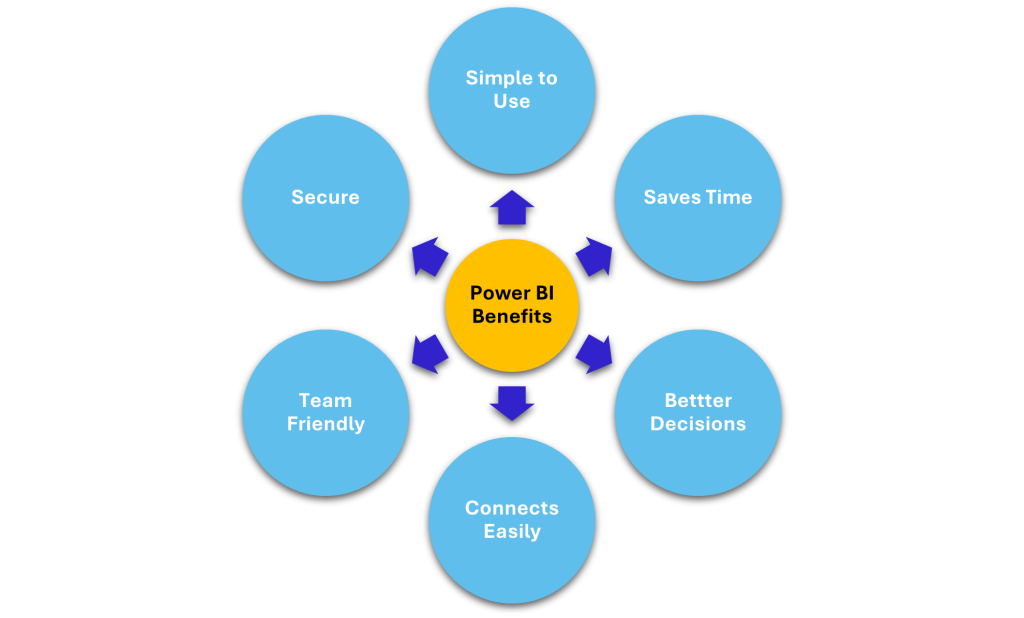
Simple to Use: Designed for people who are new to data and reporting.
Saves Time: Quickly turn data into visuals without complicated steps.
Better Decisions: Clear dashboards help you understand what’s happening in your business
Connects Easily: Works with Excel, SharePoint, Databases, Cloud Services and more.
Team Friendly: Share reports and dashboards with your team in seconds.
Secure: Built on Microsoft’s trusted security framework
What You’ll Be Able to Create
After completing the training, you’ll be able to build clear, interactive Power BI reports just like the example below.
This embedded report shows the type of layout, visuals, and insights you’ll learn to create — from connecting data to designing a dashboard that supports real‑world decision‑making.
Here Is A Live Example That You Can Interact With
Local to South Yorkshire
We support organisations throughout Sheffield, Rotherham, Doncaster, and Barnsley and the surrounding areas, operating from the Worksop Turbine Innovation Centre in Shireoaks.
If your team is based in the region, we can provide on‑site or remote training.
Your Power BI Journey Begins Here
A simple, guided learning path designed for beginners
1. Book Your Training Session
Schedule your beginner‑friendly group session and get set up with support.
No prior experience needed — we’ll help you start with confidence
2. Follow The Guided Lessons
Follow a clear, structured path using scenarios and hands‑on practice.
Each stage builds your skills without overwhelm.
3. Build Confident Reports
Leave with practical skills you can use immediately in your role.
You’ll know how to connect data, create visuals, and build clear, effective reports
Start Your Power BI Journey Now?
Frequently Asked Questions
What version of Power BI do I need?
The free version of Power BI Desktop is perfect for this course. If your organisation uses Office 365, you may already have access to the licensed version.
Is this course suitable for teams with mixed skill levels?
Yes — the structure works well for complete beginners and those with light experience.
Do I need to bring my own laptop?
For in‑house or on‑site training, learners must bring their own device with Power BI Desktop installed. For online sessions, you simply join via Microsoft Teams.
Do you provide the datasets?
Yes — all example files are included. You don’t need to prepare anything in advance.
What if I’ve never used Power Query or DAX before?
That’s exactly what this course is designed for. You’ll learn the basics in a clear, practical way, with plenty of examples.
Will I build a full dashboard during the course?
Yes — by the end of the day, you’ll have created a complete, interactive report you can take away and continue developing.
Do you offer follow up support?
Yes — you’ll receive the full training pack, example files, and guidance on what to do next.