
A creative marketing agency needed to ensure that their Power BI model could enable controlled row level security in line with required access
We evaluated SQL and Power BI security options and delivered three options to the client to enable them to select the best fit
Want To Improve Your Power BI Security?
Learn how we can help secure your Power BI environment
Contact UsBook A CallProject Snapshot
Client
Linney

Industry
Digital Marketing

Tech Stack
SQL Server Data Warehouse & Power BI Security
The Challenge
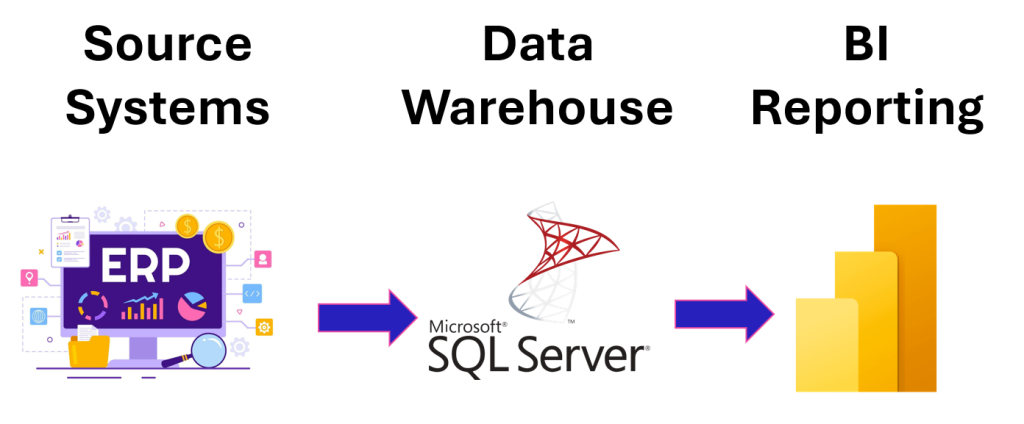
The agency was mid‑migration to a new ERP system, with data distributed across multiple on‑premise SQL Server databases and business units. As Power BI adoption grew, so did the need for a consistent, organisation‑wide security model.
Their goals were clear:
- Restriction: Limit customer, area, and team‑level data access.
- Relevance: Ensure users only access information appropriate to their role.
- Governance: Establish a security model that remains stable through and beyond the ERP migration.
- Trade‑offs: Understand the differences between SQL‑based security and Power BI‑based security.
They needed clarity, options, and a practical path forward.
The Solution
We reviewed the client’s requirements and delivered three fully working models using their own data and user roles. This allowed stakeholders to see the impact of each approach in real time.
1. SQL Server Security
We demonstrated how SQL Server row‑level security policies could enforce access rules at source.
This approach ensures:
- Security is centralised in SQL
- Policies are applied consistently across downstream tools
- Users only see authorised rows based on defined predicates
However, this method requires multiple functions and views to maintain, increasing long‑term overhead.
2. Power BI with SQL‑Inherited Security
We provided Power BI examples that inherited SQL Server RLS directly. This offered the advantage of maintaining security in a single location.
Key considerations included:
- All Power BI users would require SQL profiles
- Additional admin overhead for user provisioning
- Dashboards must run in DirectQuery mode
- Performance risks for large datasets or complex queries
We also explored composite models, but confirmed that DirectQuery tables cannot filter Import tables – removing this as a viable hybrid option.
3. Power BI Row‑Level Security (RLS)
We built a Power BI RLS model aligned to the client’s organisational structure.
This approach enabled:
- Role‑based filtering within Power BI Desktop
- Clear mapping of users to roles in the Power BI Service
- Strong performance through Import mode
- A governance model that could evolve with the ERP migration
This option offered the best balance of maintainability, performance and clarity.
The Results
The client gained a clear, actionable security strategy supported by real working examples. This accelerated decision‑making and allowed their internal team to implement the recommended approach quickly and confidently.
They now have:
- Security Model: A defined Power BI security framework aligned to their organisational structure.
- Clarity: A clear understanding of SQL‑based versus Power BI‑based security.
- Governance: A scalable approach ready for their post‑migration environment.
- Risk reduction: Reduced exposure of sensitive data across teams and customers.
Ready to Strengthen Your Power BI Security?
We help organisations build scalable, role‑based models that protect sensitive data.
Book a free consultation to get started