
Connecting Prospect 365 CRM to Power BI via OData to deliver interactive sales dashboards with drill‑down insights and streamline performance reporting across channels.
Struggling with Prospect 365 Reporting?
Explore our Power BI services or book a call directly with Simon to find out more
Contact UsBook A CallProject Snapshot
Client
Living Planet

Industry
Food Supplements, Health & Wellness

Tech Stack
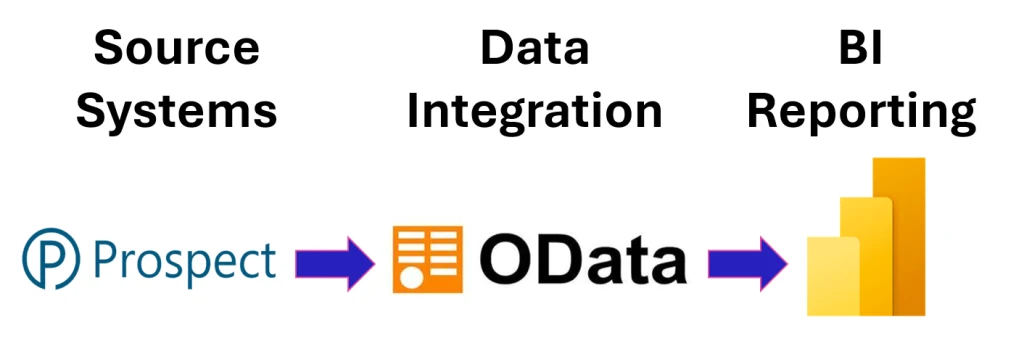
Power BI, Prospect 365 CRM & OData Connector
The Challenge
Living Planet already had a set of Power BI reports, that had been created by someone else. We were engaged to extend and improve the existing report, improve the useability and to create a range of new reports.
Before moving to a Power BI–based approach, they faced several issues:
- Fragmentation: Sales data was spread across Prospect 365 CRM, making it difficult to analyse consistently.
- Visibility: The team lacked clear, interactive reporting to understand performance by product, customer, and sales channel.
- Manual Work: Existing reporting processes required manual exports and spreadsheets that were slow to update.
- Interactivity: Limited ability to drill into customer or product level detail restricted insight generation.
- Scalability: The business needed a reporting approach that could grow with expanding product lines and sales activity.
The Solution
- Integration: Connected Prospect 365 CRM to Power BI using the OData Connector to enable live, structured data access.
- Modelling: Built a clean, scalable data model to support flexible analysis across customers, products, and channels.
- Dashboards: Designed interactive sales dashboards with drill down and drill through capabilities for deeper insight.
- Performance: Streamlined sales reporting to reduce manual effort and improve data refresh reliability.
- Enablement: Provided guidance to help the team understand and maintain their new Power BI reporting environment.
The Results
- Efficiency: Sales reporting became significantly faster, with reduced reliance on manual exports.
- Interactivity: Drill down and drill through features enabled deeper analysis of customer and product performance.
- Clarity: Sales teams gained clearer visibility of performance by channel, product category, and customer segment.
- Consistency: A unified data model ensured reporting was accurate, repeatable, and easier to maintain.
- Scalability: The new reporting approach supports future growth and additional CRM data sources.
Living Planet can now track sales performance more effectively, explore trends with greater interactivity, and maintain a more reliable reporting process as the business continues to grow.
Looking To Connect Your CRM to Power BI?
Explore our reporting services or book a call with Simon to discuss your data challenges.
Book a free consultation to get startedThis is just one example of what we do – explore more in Our Work