

Transforming fragmented Firestore subscription data into a scalable BigQuery and Looker Studio analytics ecosystem
Frustrated With Messy Firestore Data?
Explore our analytics consulting services or book a call directly with Simon to find out more
Contact UsBook A CallProject Snapshot
Client
Ultima Media

Industry
Publishing & Automotive Media

Tech Stack
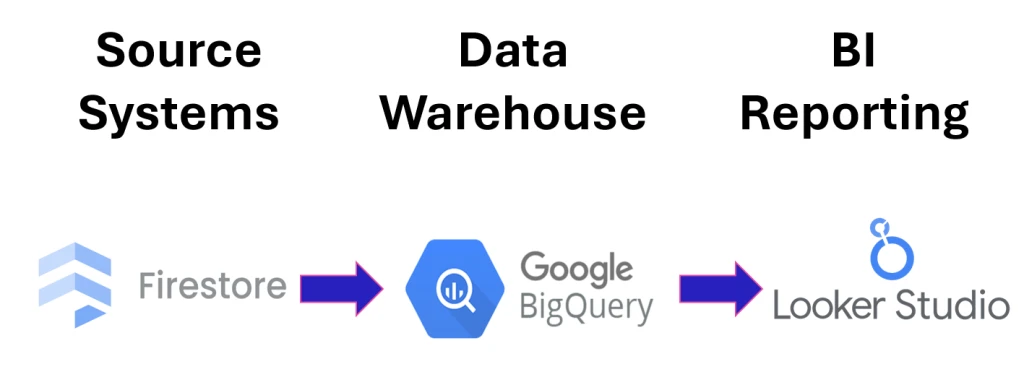
Firestore, BigQuery and Looker Studio
The Challenge
Ultima Media’s subscription data – spanning volume, type, revenue, churn, and expiry timelines – was stored across Firestore and BigQuery in a raw, inconsistent format.
Key challenges included:
- Structure: Messy, unstructured data with inconsistent field naming, IDs, and timestamp logic.
- Accuracy: Rows were pulling through based on refreshable dates, making historical reporting unreliable.
- Visibility: Limited insight into key subscription lifecycle metrics such as churn, renewals, and corporate activity.
- Access: No centralised reporting layer, making it difficult for internal teams to self‑serve insights.
- Scalability: A dashboard was needed that could be handed over and maintained in‑house without technical support.
Ultima Media needed a clean, trustworthy data foundation and a dashboard that could surface insights without requiring technical intervention.
The Solution
We rebuilt Ultima Media’s subscription analytics workflow to create a clean, reliable, and scalable reporting ecosystem.
- Data Quality: Normalised Firestore and BigQuery tables, clarified field logic, and rebuilt datasets to ensure accurate historical reporting.
- Data Models: Created structured BigQuery views covering subscription summaries, revenue, expirations, corporate activity, and individual subscription details.
- Collaboration: Worked closely with the data team through regular reviews, feedback cycles, and shared access to evolving dashboards.
- Dashboarding: Designed an intuitive Looker Studio dashboard surfacing key metrics including volume, revenue, churn, renewals, and expiry timelines
- Handover: Delivered full documentation, mapped all datasets, and transferred ownership so internal teams can maintain and scale the reporting long‑term.
The Results
- Accuracy: Reliable, consistent reporting replacing previously inconsistent data pulls.
- Foundation: A scalable BigQuery analytics layer that Ultima Media can maintain and extend internally.
- Insight: Clear visibility into subscription performance to support forecasting and commercial decisions.
- Efficiency: Reduced manual effort through automated data flows and structured datasets.
- Usability: A user‑friendly Looker Studio dashboard enabling teams across the business to self‑serve insights.
Ready to Turn Your Subscription Data Into Actionable Insight?
Ultima Media transformed fragmented Firestore data into a clean, scalable BigQuery and Looker Studio reporting ecosystem- giving their teams clarity, accuracy, and confidence in every metric.
Book a free consultation to get startedThis is just one example of what we do – explore more in Our Work