
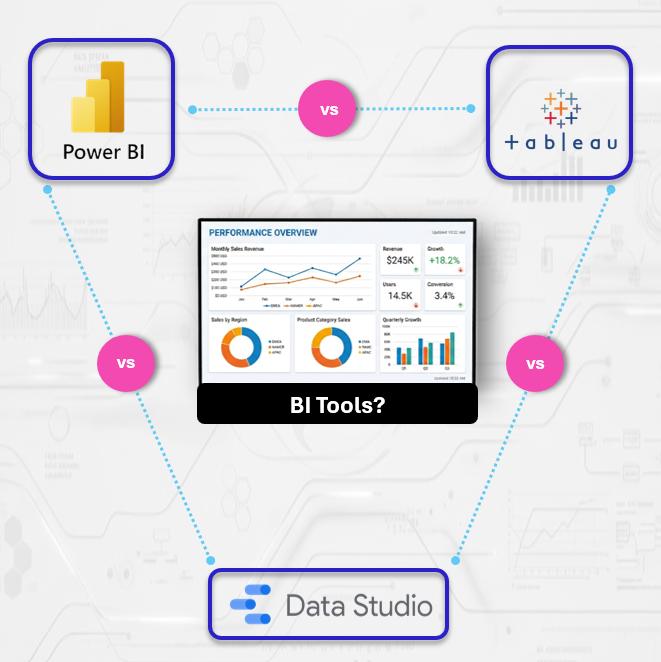
A Guide for Small Teams in 2026
Data Studio vs Power BI vs Tableau
In today’s data-driven landscape, small teams often face a difficult choice. You have outgrown basic spreadsheet reporting, but you are not yet a large enterprise with a dedicated team of data engineers. You need visibility into your KPIs, but you need to balance that with resource constraints.
When evaluating the primary platforms available today; Data Studio, Power BI, and Tableau the mistake many teams make is focusing solely on feature lists. Instead, you should evaluate these platforms based on your team’s existing technical architecture and your long-term data strategy.
Here is how to approach the selection process.
Data Studio: The Fastest Route to Actionable Insights
Data Studio has become a go-to solution for agile teams that need to get up and running quickly using the data platforms they are already familiar with.

Why it works for small teams
Data Studio is designed for those already operating within the Google Cloud or Google Workspace environments. Because it is a cloud-native, browser-based tool, it removes the friction of software installations and version management.
Key Considerations
Fast results: You can get started right away. If you already have data in a place like Google Analytics, BigQuery, or even just a Google Sheet, you can build a professional dashboard in just a few minutes.
Easy sharing: Working with your team is simple because it uses the exact same sharing settings you already know from Google Drive.
Managing your metrics: Because you build your calculations directly into your reports, there isn’t a central place to update them in one go. It’s an easy process to manage when you have a few dashboards, but as you scale, staying organised with your definitions will help keep your data accurate across your entire team
Power BI: The Scalable Choice for Growing Teams
For teams integrated into the Microsoft 365 ecosystem, Power BI is frequently the most logical progression. It is a full-stack platform that excels at both data preparation and advanced visualisation.
Why it works for small teams
Power BI is built for organisations that want to treat their data like a structured asset. It includes powerful, built-in tools that allow you to clean up messy data and build complex, reliable calculations. This means you can handle everything from basic reporting to advanced business logic within the same system
Key Considerations
End-to-End Workflow: It allows you to clean, model, and visualise data within a single interface, reducing the need for separate data preparation tools.
Scalability: It scales gracefully from simple operational reporting to complex, enterprise-grade data models as your team’s analytical maturity grows.
The Time Investment: Because this is a more powerful tool, it also comes with a steeper learning curve. You’ll need a team member who is prepared to master the platform’s custom formula language (DAX) and data structure. Without that dedicated effort, your reports can become complex and difficult to maintain over time
Tableau: Getting More From Complex Data
Tableau remains the industry benchmark for visual analytics. It is designed for environments where the primary goal is not just monitoring KPIs, but performing deep, exploratory data analysis.

Why it works for small teams
Tableau acts as a powerhouse for teams juggling diverse data sources. It gives you the flexibility to move past basic reporting and perform the deep, custom analysis needed to understand exactly what’s happening in your business.
Key Considerations
Exploratory Power: The interface is built for discovery, making it easy to dig into your data and uncover trends that aren’t visible in standard, static reports.
Visual Craft: It offers a level of design control that allows for highly customised, professional-grade dashboards.
The Learning Curve: Tableau has a steeper learning curve than many other tools. It’s an investment that requires more than just a quick tutorial; your team will need to dedicate time to mastering its specific way of handling calculations and data structures to avoid creating reports that are hard to maintain.
The Cost Reality: Total Cost of Ownership Matters
Price is more than just the license fee. When calculating the Total Cost of Ownership, consider the hidden costs of maintenance and training:
Data Studio: The cash cost is zero, but the “hidden” cost is your time spent organising reports to prevent them from becoming unmanageable.
Power BI: The license fee is usually bundled with Microsoft 365, but the hidden cost is the potential need for external consultancy to set up robust data structures.
Tableau: It requires consistent maintenance to remain effective. Without a dedicated process to keep your data pipelines clean and your dashboards optimised, the time your team spends troubleshooting the system can quickly outweigh the value of the insights you’re gaining.
Choosing the Right Platform
| Feature | Data Studio | Power BI | Tableau |
| Pricing Model | Free | Per-user license (Pro) | Per-user license (Premium) |
| Primary Ecosystem | Google Cloud | Microsoft 365 | Platform Agnostic |
| Data Transformation | Basic | Advanced (Power Query) | Moderate (Prep) |
| Learning Curve | Low | Moderate/High | Moderate/High |
| Ideal For | Rapid KPI tracking | Integrated data modelling | Deep analytical discovery |
Defining Your Path Forward
At Select Distinct, we see too many teams over-buying. They purchase complex enterprise tools only to find they lack the capacity to maintain them.
Start where you are. If you are just beginning, start with Data Studio. It is free, fast, and will force you to get your data in order. Only upgrade to Power BI or Tableau when you hit a wall like when you need complex modelling or high-level governance that Data Studio can no longer handle.
Need an objective eye on your data stack?
Get in touch with us at Select Distinct. We help small teams build infrastructure that delivers value.