

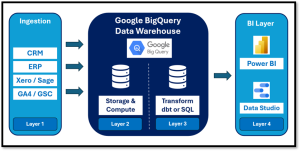
Why Mid-Market Teams Are Moving to BigQuery
Moving your mid-market data to Google BigQuery eliminates 24/7 server maintenance and lets your team pay only for the exact queries you run. This streamlined, four-layer architecture keeps your executive dashboards fast and reliable without choking your live operational applications.
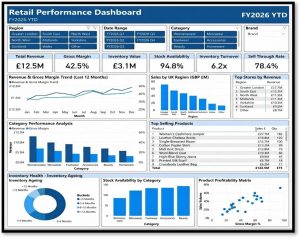
How Leading Retailers Use Data to Improve Performance
Retailers generate vast amounts of data, but many still struggle to turn that information into actionable insights. Discover how leading retailers use analytics to improve decision-making, optimise inventory and drive better business performance.
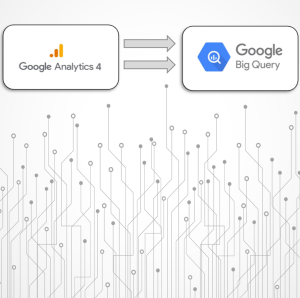
GA4 & BigQuery: The Analytics Stack for Full Customer Visibility
Many organisations invest heavily in customer acquisition, yet struggle to answer a straightforward question: which channels and campaigns actually generate the most revenue? By combining Google Analytics 4 (GA4) with BigQuery, businesses can break down data silos, unify customer journeys, and make evidence-based decisions that drive sustainable growth.
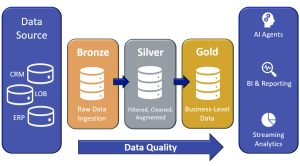
How to Build a Modern Data Warehouse Without Wasting Money
Discover how mid-market organisations can effectively modernise their data warehouse without overspending or over-engineering. This blueprint outlines a practical five-layer architecture and migration roadmap to ensure reliable reporting, consistent KPIs, and scalable analytics.
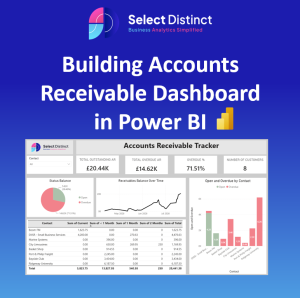
Power BI Accounts Receivable Dashboard Guide
Streamline your credit control by connecting your Xero data into Power BI to replace static spreadsheets with a dynamic Accounts Receivable dashboard. Learn how to build KPIs, customer aging summary tables, and transaction breakdowns step-by-step.
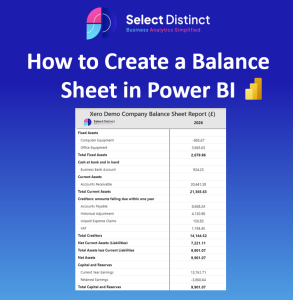
How to Build a Clean Balance Sheet in Power BI
Learn how to build a clean, structured balance sheet in Power BI using custom mapping tables and DAX measures. This step-by-step guide walks you through transforming raw financial data into a polished, executive-ready dashboard