
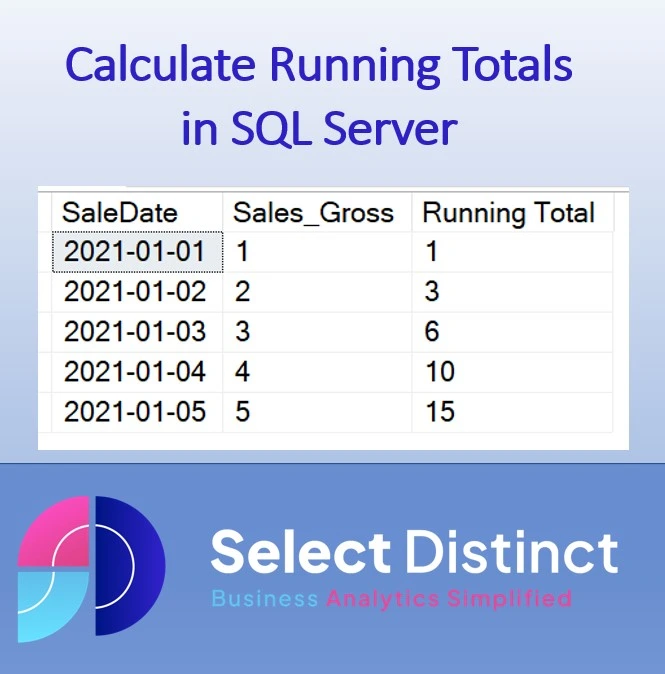
Example use case
An example of a use case is to calculate a predicted closing inventory. As part of an inventory forecasting process. Taking into account predicted sales and expected deliveries.
Why would you want to calculate a running total?
Calculating a running total can be helpful in many situations. It is an essential part of statistical and financial analysis and helps to explain trends, performance, and other changes over time. It is also helpful in forecasting sales and predicting future performance. Calculating running totals allows you to analyse data more effectively and find insights that would normally be hidden beneath the surface.
Using the inventory level prediction as an example, we could identify where there will be likely stock shortages. We can then use this information to bring in extra deliveries to keep up with demand at the right time
How to calculate a running total in SQL Server
Let’s use a simple example to illustrate the steps
Assuming you have a table of daily sales records
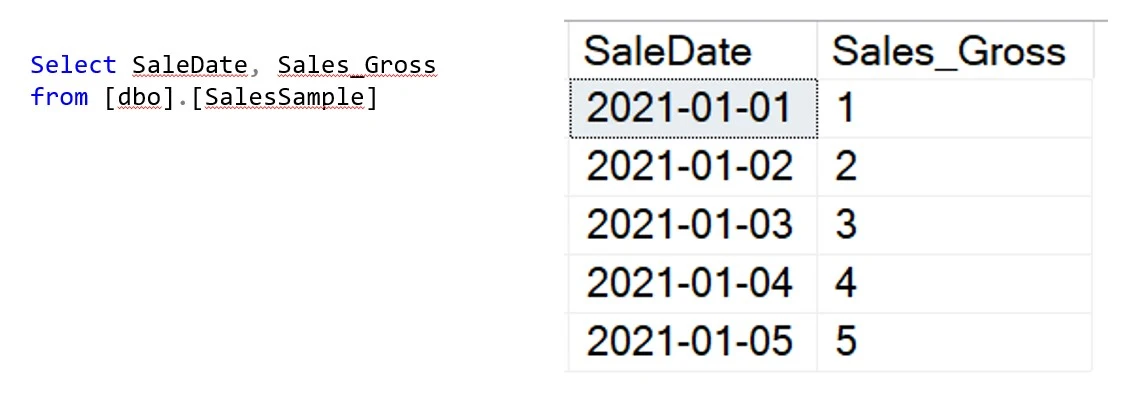
We want to see the cumulative total of Sales at the end of each daySQL window functions make this relatively easy to do
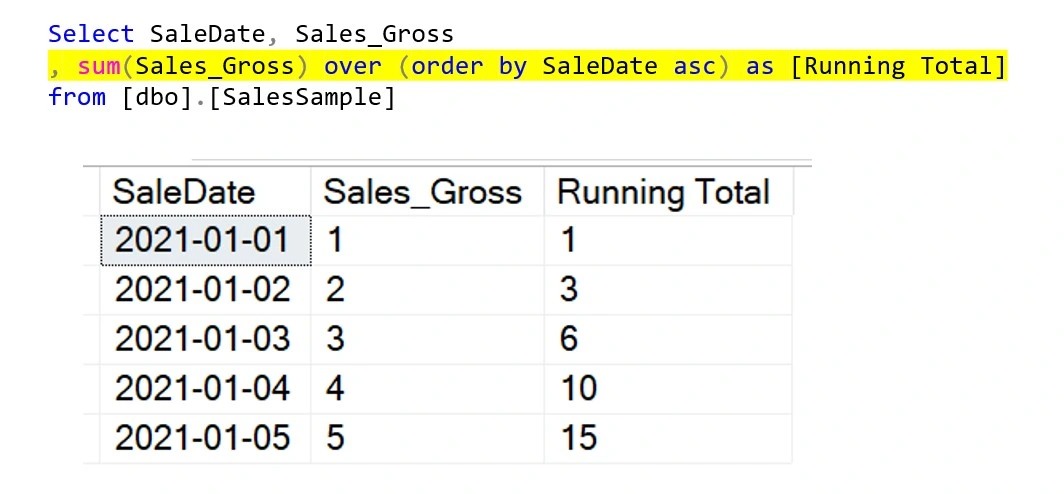
Using a ‘window function’ we can calculate the running total from the Sales (Gross) column
If we break down the elements of this code it will help to explain what each part does
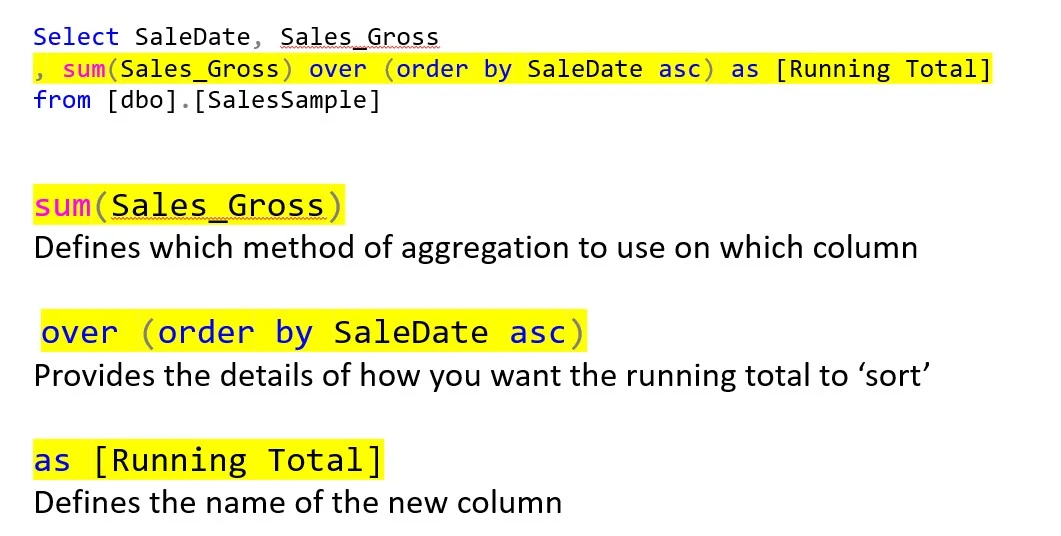
You can now create running totals in SQL using this SQL window function
From this code you can easily amend it to create running counts, running averages or other calculations
Running Totals in SQL Server – Conclusion
In conclusion, running totals are an invaluable tool for data analysis, financial accounting, and forecasting. They are used to highlight cumulative values and give the perspective of what the balance was at that point in time
It is easy to calculate a running total in SQL Server using the SUM() function with the and the OVER clause. You can also bring in PARTITION to provide the ability to have separate running totals say for different departments, but we will show that in more detail in a future post
Subscribe to our channel to see more Excel Timesavers
Select Distinct YouTube Channel
Our Business Analytics Timesavers are selected from our day to day analytics consultancy work. They are the everyday things we see that really help analysts, SQL developers, BI Developers and many more people.
Our blog has something for everyone, from tips for improving your SQL skills to posts about BI tools and techniques. We hope that you find these helpful!